
Reviewing Figma on capability in 2026 is not a useful exercise. It won. Sketch is a niche, Adobe XD is discontinued, and the interesting competition is now in adjacent categories rather than head on. The question worth asking is different: is it priced well, and what does it cost an organisation that is not a design agency?
Three seats, which is the insight
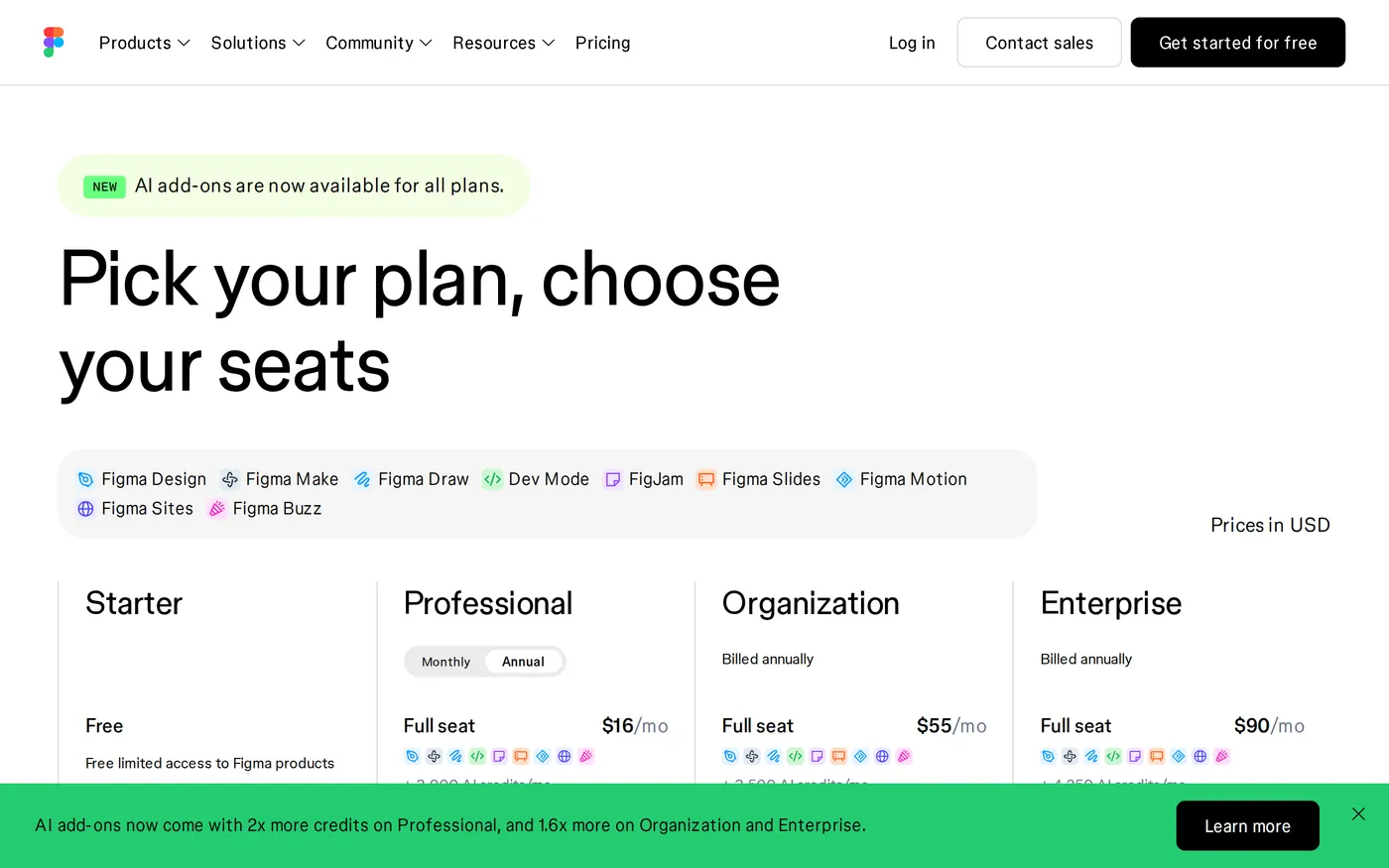
Most collaboration tools charge one price per person and then wonder why adoption stalls at the department boundary. Figma charges three:
Full seat —
$16per month on Professional. Create and edit designs.Dev seat —
$12. Dev Mode: inspect, measure, grab code and assets, mark work as ready.Collab seat —
$3. View, comment, present, fill in FigJam.
Three dollars is the number that matters. At three dollars a month, a product manager, a customer support lead and a copywriter can all live inside the design file. They comment in context instead of in a Slack thread with a screenshot. The whole class of problem where feedback arrives detached from the artefact it refers to simply stops happening.
Figma's seat model is not a pricing table, it is a product decision about who gets to be in the room. Very few vendors in this review have made one that good.
Dev Mode, and whether it is worth twelve dollars
Dev Mode gives engineers measurement, spec, asset export, generated CSS or platform code, component documentation, and a status marking system for which frames are ready to build.
The honest assessment: the generated code is a starting point, not production code, and any engineer who pastes it directly will produce something they regret. What Dev Mode actually fixes is the question every engineer asks and no design tool used to answer: is this frame finished, or is the designer still moving things? Marking frames ready for development, with a diff when they change afterwards, removes more wasted work than any amount of generated CSS.
Twelve dollars a month against an engineer's salary is not a decision that needs a business case. The real question is whether your team is disciplined enough to use the ready-for-development status, and if it is, this is the best handoff tooling available.
The upper tiers
Organization is $55 per Full seat per month, billed annually, with Dev at $25 and Collab at $5. Enterprise is $90 Full, $35 Dev, $5 Collab, also annual only.
You are buying cross-department library sharing, centralised admin, workspaces, design system analytics and SCIM. That is a real set of problems for a company with several product groups sharing one design system — and an expensive solution for a company with one. A thirty-designer Enterprise contract is over $32,000 a year for Full seats alone before anyone else is added.
The upgrade trigger
There is one clear signal that Organization is warranted: two teams have independently forked the same component library and neither knows which is current. Below that, Professional is sufficient and considerably cheaper.

AI credits
Figma's AI features run on a credit allowance that varies by plan and seat type: Professional Full seats get 3,000 a month, Organization 3,500, Enterprise 4,250, with Dev and Collab seats on 500. The free Starter plan gets a small daily allowance instead. Additional credits can be purchased.
This is the least elegant part of Figma's pricing. Three different allowances across three plans and three seat types is difficult to reason about when you are budgeting, and impossible to explain to a finance team in one sentence. The features themselves — generating variants, renaming layers sensibly, first-pass copy — are useful in a way that AI features in project management tools generally are not.
The remaining complaints
Performance on very large files. A design system file with thousands of components and deep variable structures still makes the browser work hard, and the difference between a fast machine and a slow one is more pronounced than it should be.
The free Starter plan's three-file limit is tight for a freelancer juggling several clients — three Figma files and three FigJam files goes quickly. Professional at $16 is the practical floor for professional use, which is fine but worth stating plainly.
Verdict
9.0, the highest score in this round-up. Figma is a better product than its competitors and — more unusually — it is priced in a way that makes teams use it correctly rather than ration access to it.
Buy Professional. Put every stakeholder on a $3 Collab seat, because the cost of them not being in the file is higher than the cost of the seat. Move to Organization only when two teams are fighting over one component library. Current seat prices are on Figma's pricing page.
Softmarque is not paid by the products it reviews. Prices and plan names were taken from the vendor’s own pricing page on the date shown above and change often; nothing here is financial, legal or accounting advice.